The Crypto.com app has been a major hub for crypto traders over the years, and the recent introduction of prediction markets has made it even more so. In this guide, we review the Crypto.com app for prediction market trading, including it's features and overall user experience.
Launched in 2016, Crypto.com is one of the most popular crypto exchanges in the world. It gives users the opportunity to trade in several crypto assets like Bitcoin, Ethereum, Litecoin, USDT, and much more. The best part about the brand is that users can also fund their accounts with fiat currencies like USD and EUR.
Moving on, Crypto.com introduced its sports contract trading section in December 2024. The section allows users to trade contracts based on real sports outcomes, including football, basketball, tennis, and more. As we mentioned in our Crypto.com review, traders can participate by purchasing simple yes/no contracts that represent a specific outcome in a sporting event. They are also gradually growing out the market categories to include politics, finance, culture, and more.
Each contract has a clearly defined payout and
Crypto.com fees
that you can confirm before entering or exiting it. Unlike traditional sports betting sites, you don’t need to enter any promo code when creating an account because it doesn’t offer any welcome offer at the time of crafting this guide.
But then, one thing we like about the brand is that it provides existing users the chance to enjoy rewards just for bringing their family and friends on board. All that is required is for you to share your
Crypto.com referral code
with them. Once anyone signs up through it, you’ll be eligible for 50% of their trading fees while standing the chance to claim up to $2000 worth of CRO. But then, there are terms and conditions applied.
Be aware of the following important information and disclaimer for Crypto.com, which you can find
here.
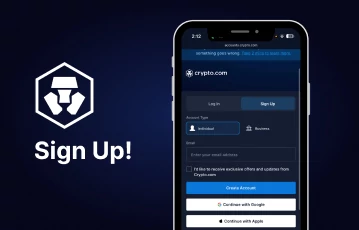
![crypto com sign up]()
Get started with your predictions at Crypto.com
![crypto-com sports]()
Make predictions on sporting events at Crypto.com
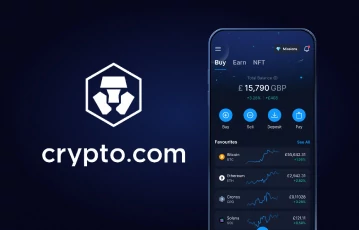
While Crypto.com and its offerings can be accessed via the web version, the brand offers a mobile app for iOS and Android devices. Based on our experience so far, the app works exceptionally well, providing unrestricted access to all of the brand’s features.
Users can easily trade crypto assets, manage their fiat balances, and even enter yes/no contract positions for sports events with just a few taps. The app also provides real-time market updates, clear contract details, and easy navigation between sections. As soon as you install and launch it for the first time, you’ll notice how strategically all the important buttons are placed.
In addition to the fast registration process, you’ll also notice how well the homepage was designed with quick buttons leading to different sections of the app, vividly displayed in good positions. The best part? This app is lightweight and loads quickly even on older devices.
The Crypto.com app was designed to be an all-in-one platform for both crypto traders and sports prediction enthusiasts. It comes with lots of useful features for traders, making it easy for them to carry out their activities effectively. However, for the purpose of this guide, we’ll briefly discuss some of its features in the following table:
Installing the Crypto.com app on your phone is not really a big deal. As we said earlier, it’s available for both iOS and Android devices with no requirement for any
Crypto.com promo codes. To be honest, the installation processes for the two devices may not be exactly the same, but the following steps will serve as a guideline for you:
-
Go to your device’s app store
-
Search for the Crypto.com app
-
Once it shows up, tap on the “Install” button
-
Wait for it to install
Once installed, you can then launch the app to start your registration process.
Some Common Issues You May Run Into While Installing the App
Although not all the time, it’s possible that you may run into some technical issues while trying to install the app. While there are so many possible instances, we’ll be exploring some common ones and their solutions below:
App Crashes After Installation
Some users may find that the app crashes after launching it for the first time. It's possible this issue is due to an outdated device OS or background apps interfering. To solve this, make sure your device runs the latest version of iOS or Android operating system. Also, you can close all opened apps and try to launch it again.
App Not Showing in App Store or Play Store
It's possible that the app may not show up when you search for it on your device’s app store. This usually happens if the app is not available in your country. To resolve this, check whether your device's app store region matches the US. For Android users, you can try installing the APK version of the app online for easy access.
If there’s one thing we appreciate about the Crypto.com app, it should be its user-friendly design. Even as a newbie, you can easily access the sports trading section of the app. But then, you’ll need to create an account if you don’t have one, as noted in our previous
Crypto.com prediction markets review. To proceed, follow the simple registration process below:
-
Click the Crypto.com link on the banners of this page
-
Choose whether to create a personal or business account
-
For a personal account, enter your email address and proceed
-
Input the 6-digit code you received in your email
-
Verify your phone number
-
Next, provide your personal details, including name and home address
-
Submit your ID and take a selfie
-
Once verified, make a deposit
-
Head to the sports section
-
Choose an event
-
Select an outcome (Yes/No)
-
Input the number of contracts you wish to trade
-
Review and place the order
Once your order has been placed, you can then wait for the event to settle to see if your prediction comes true or not. However, Crypto.com allows you to exit the trade even when the event is not yet concluded to lock in profit or minimize losses.
Pros and cons
- User-friendly interface
- The app is lightweight
- All-in-one app
- Available for iOS and Android
- Prediction market feature is not available in all states
In conclusion, the Crypto.com app gives you an opportunity to enjoy crypto or sports contract trading on the go without any issues. It was designed with serious attention given to user satisfaction, offering a very clean and user-friendly interface, fast loading times, and easy navigation. The fact that it’s lightweight and available for both iOS and Android users ensures that almost everyone can access it seamlessly. For first-hand experience, you can tap on the link on the banners of this page to install the app.
📱 Does Crypto.com Provide an iOS or Android App?
Yes, Crypto.com has a downloadable mobile app for both iOS and Android devices.
⚽ Can I Trade Both Crypto and Sports Contracts on the Crypto.com App?
Yes, you can. The Crypto.com app combines crypto trading and sports event contract trading in one place for you to enjoy.
💰 Are There Any Hidden Fees When Using the Crypto.com App?
Not at all. All fees, including crypto trading and sports contract-related trading fees, are displayed for you to confirm before proceeding.
This content is sponsored by Crypto.com: Securely Buy, Sell and Trade Bitcoin, Ethereum and 400+ Crypto and should not be considered as investment advice. Trading on prediction markets carries risks, including market volatility and the possibility of losing your stake. Before participating, carefully consider your risk tolerance and the potential outcomes. Foris DAX Inc. and Foris Inc. (d/b/a Crypto.com) offer connectivity to Crypto.com | Derivatives North America (CDNA), which is regulated by the Commodity Futures Trading Commission, for the purpose of trading derivatives on and subject to the rules of CDNA. Currently available for U.S. users only, who must first become a Member of CDNA prior to trading event contracts on CDNA. Trading on CDNA involves risk and may not be appropriate for all. Customers risk losing their cost to enter any transaction, including fees. You should carefully consider whether trading on CDNA is appropriate for you in light of your investment experience and financial resources. Any trading decisions you make are solely your responsibility and at your own risk. Past performance is not necessarily indicative of future results. None of the material on Crypto.com or CDNA is to be construed as a solicitation, recommendation or offer to buy or sell any financial instrument on CDNA or elsewhere. CDNA is subject to U.S. regulatory oversight by the CFTC.


 Available with Dimers Pro